 Skip to main content
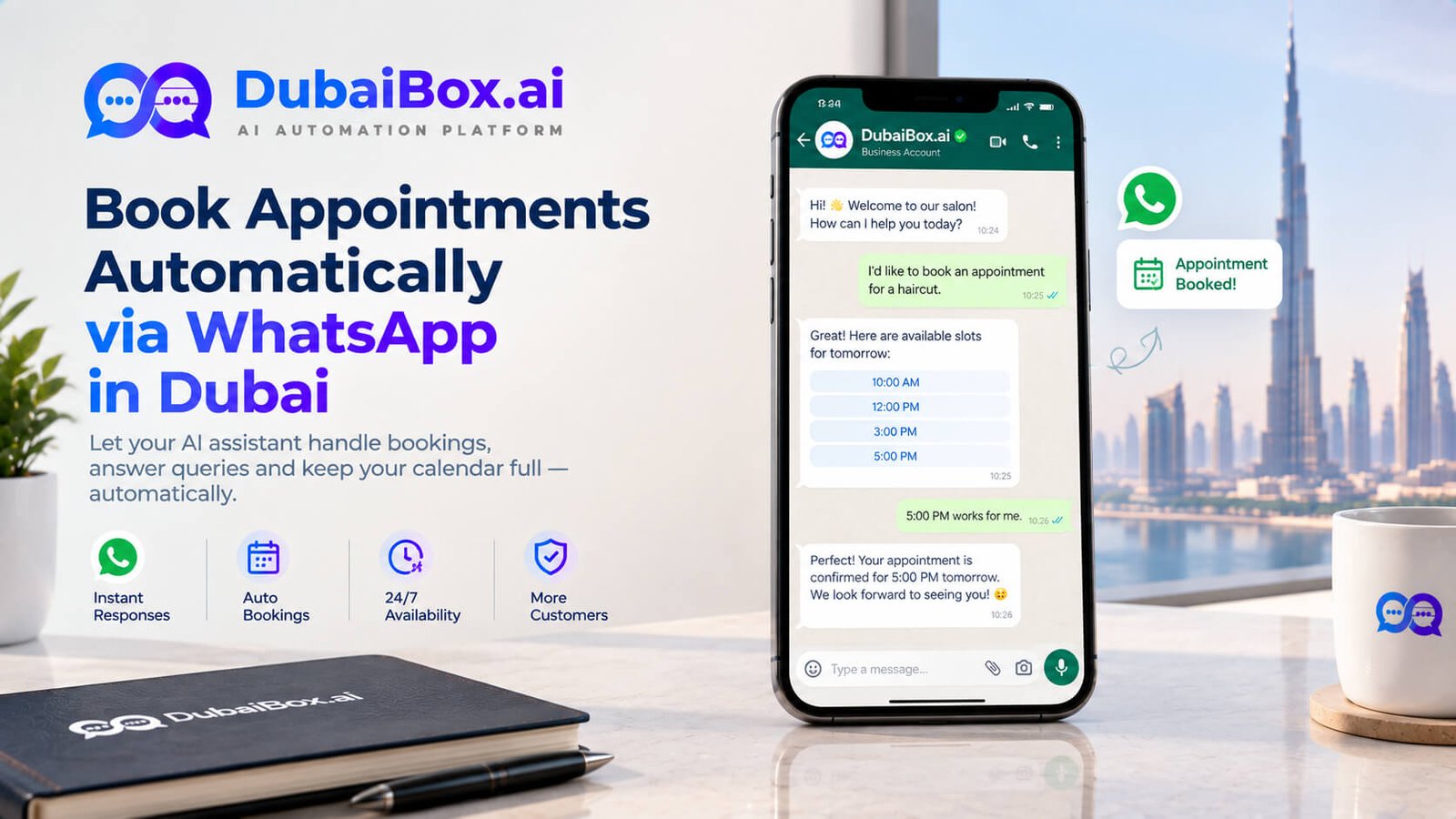
A customer messages a Dubai business asking to book a slot, gets a reply an hour later asking what day works, replies, waits again for confirmation, and by the time the whole back and forth wraps up they’ve spent longer booking the appointment than the appointment itself will take. This slow, manual back and forth is exactly what businesses eliminate once they set up book appointments automatically whatsapp dubai properly.
This article covers what automatic WhatsApp booking actually involves, how to set it up step by step, and what to watch for along the way.
Why Manual WhatsApp Booking Breaks Down
A staff member manually managing bookings through WhatsApp has to check a calendar, type out available times, wait for the customer to pick one, confirm it, then remember to actually block that time off somewhere else. Every one of these steps is a chance for delay, human error, or a double booking if two staff members are handling messages at once without a shared, live view of the calendar.
This works fine at low volume. It falls apart quickly once a business gets more than a handful of booking requests a day, since staff time spent manually managing this back and forth is time not spent with customers who are already in front of them. The frustrating part is that this kind of loss rarely shows up as a clear number anywhere, it just quietly shows up as bookings that never quite happened, customers who got tired of waiting for a reply and went elsewhere without ever explaining why.
What Automatic Booking Actually Looks Like
The Core Mechanics
Rather than a human checking a calendar and typing out times, the system connects directly to the business’s real scheduling tool and handles the entire conversation. A customer messages wanting to book, the system checks genuinely live availability, offers realistic times conversationally, and confirms the moment the customer picks one, all without a staff member touching the process.
What Happens After Confirmation
Once confirmed, the booking syncs automatically into whatever calendar or CRM the business already uses, visible to staff immediately rather than needing anyone to transfer details manually. A reminder gets scheduled automatically ahead of the appointment too, timed to actually reduce the chance of a no-show.
Setting This Up Step By Step
Step One: Connect The Real Calendar
The system needs to connect to the business’s actual scheduling tool, whether that’s a dedicated booking platform, a CRM, or even a shared calendar, so it always works from genuinely live availability rather than a static list that goes out of date.
Step Two: Define The Booking Rules
This covers service duration, buffer time between appointments, which staff member handles which service, and any blackout periods like holidays or breaks. Getting this right from the start avoids a schedule that looks fine on paper but creates chaos on the actual day.
Step Three: Set Up Reminder Timing
Reminders need to be timed against how customers actually behave, sent early enough to allow rescheduling if needed but close enough to the appointment that it’s still fresh in mind. This often takes a bit of testing and adjustment based on real booking patterns rather than a generic default.
Step Four: Test With Real Scenarios
Before going live, it’s worth testing the system with realistic booking requests, including awkward edge cases like someone trying to book right at closing time or during a period the business hasn’t marked as unavailable yet.
A Quick Comparison: Manual Versus Automatic Booking
What Matters | Manual WhatsApp Booking | Automatic Booking |
|---|---|---|
Response time | Depends on staff availability | Instant, any time of day |
Risk of double booking | Higher, especially with multiple staff | Checks live calendar before confirming |
Reminder consistency | Depends on someone remembering | Sent automatically every time |
Staff time required | Significant, especially at volume | Minimal after initial setup |
Booking availability | Limited to business hours | Available around the clock |
What Businesses Actually Notice
Response times basically disappear as an issue, since every booking request gets handled within seconds regardless of when it comes in. No-shows drop meaningfully thanks to consistent, well timed reminders that don’t depend on staff remembering to send them.
Staff get real time back, since a large share of routine booking conversations get handled automatically. And businesses start to see genuinely useful patterns in booking data, which times fill up fastest, which days see the most cancellations, information that helps with staffing and planning going forward.
There’s also a knock on effect for customer perception worth mentioning. A business that confirms a booking instantly, any time of day, tends to come across as more professional and organised than one requiring a customer to wait for a reply, an impression that starts forming before the customer has even set foot inside.
This kind of setup usually works best as part of a broader AI automation services in Dubai package, combining AI appointment setter service logic with WhatsApp automation service so bookings work consistently whether a customer calls, messages, or visits the website.
A Few Things Worth Getting Right
Buffer time needs to reflect the actual service, since a system that books back to back with zero gap creates delays that cascade through the rest of the day. It’s worth reviewing booking patterns after the first month of real use, since actual customer behaviour often reveals scheduling quirks that weren’t obvious during setup. And customers should be able to reschedule or cancel through the same channel they used to book, without needing to call in separately.
A Few Things Worth Getting Right
Buffer time needs to reflect the actual service, since a system that books back to back with zero gap creates delays that cascade through the rest of the day. It’s worth reviewing booking patterns after the first month of real use, since actual customer behaviour often reveals scheduling quirks that weren’t obvious during setup. And customers should be able to reschedule or cancel through the same channel they used to book, without needing to call in separately.
It’s also worth thinking through what happens during unusual periods, a public holiday, a temporary closure, a sudden change in operating hours, since a system that isn’t updated to reflect these will keep offering slots that don’t actually exist, which creates more frustration than having no automated booking at all. Building a simple habit of checking the system’s calendar settings whenever hours change avoids this entirely.
Frequently Asked Questions
Most setups connect to common calendar, CRM, and booking platforms so appointments sync automatically without needing to switch tools.
Yes, most setups let customers manage an existing booking, moving or cancelling it, through the same channel they used to book originally.
A straightforward single location setup can often go live within a week or two, depending on how much customisation the booking rules need.
Significantly, since automated reminders sent through WhatsApp tend to catch far more people than relying on memory or a single confirmation message alone.
No, even smaller businesses benefit, since the main value is removing manual errors and delays that can happen regardless of overall booking volume.
See It Handle A Real Booking
The clearest way to know if this fits your business is to watch it handle an actual booking request. Contact Dubai Box Ai and visit Dubai Box Ai to see it check availability, confirm a slot, and send a reminder using your own calendar and rules.
Contact & Booking Details
Call: +971 58 258 5138
WhatsApp: +971 58 258 5138
Email: hi@dubaibox.ai
Address: Office 1607, Empire Heights A, Business Bay, Dubai, UAE
Related Post
- October 12, 2026
AI Appointment Reminder Calls: Cut Dubai Clinic No-Shows
- October 10, 2026
WhatsApp Automation vs Chatbot: What Is the Difference?
- October 9, 2026
